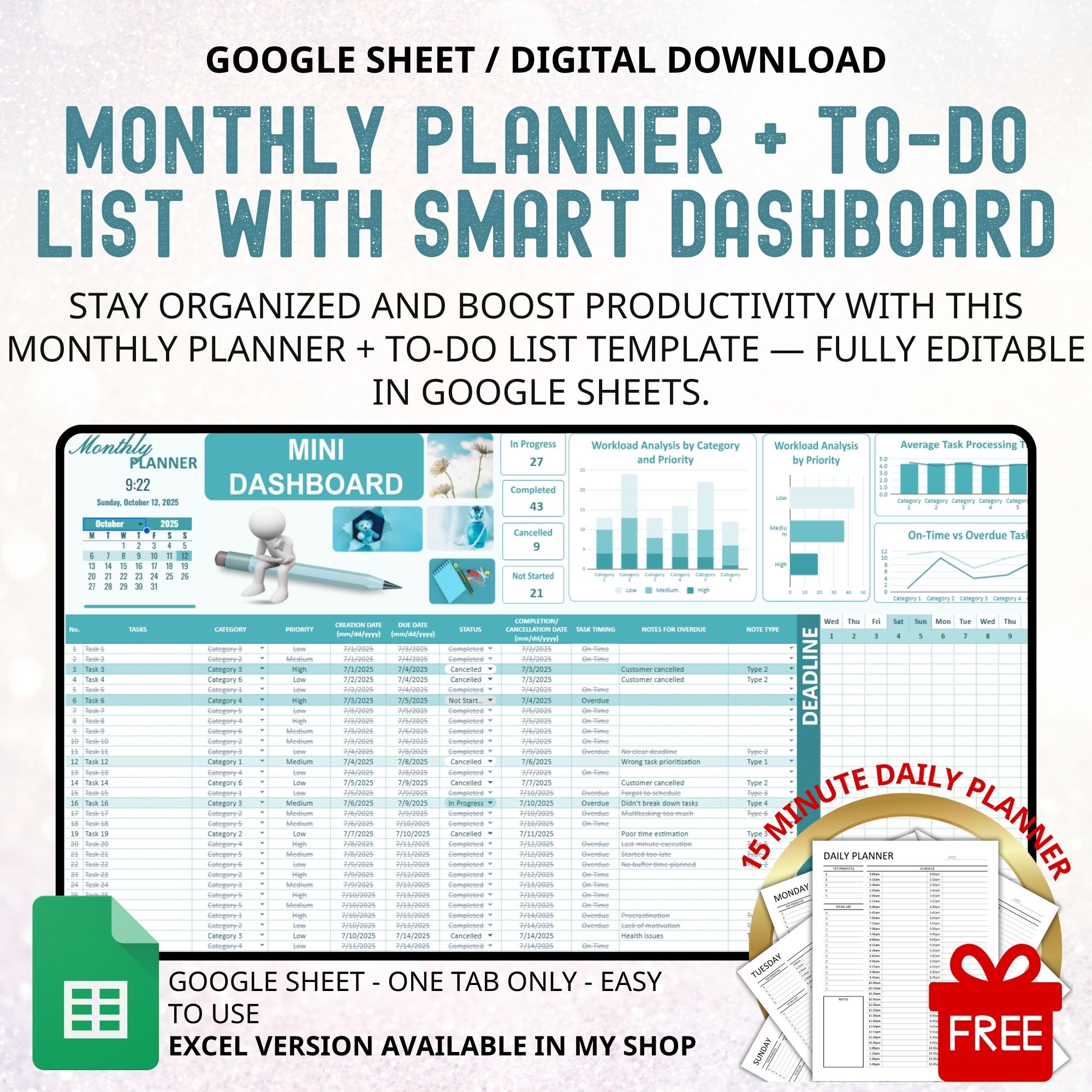
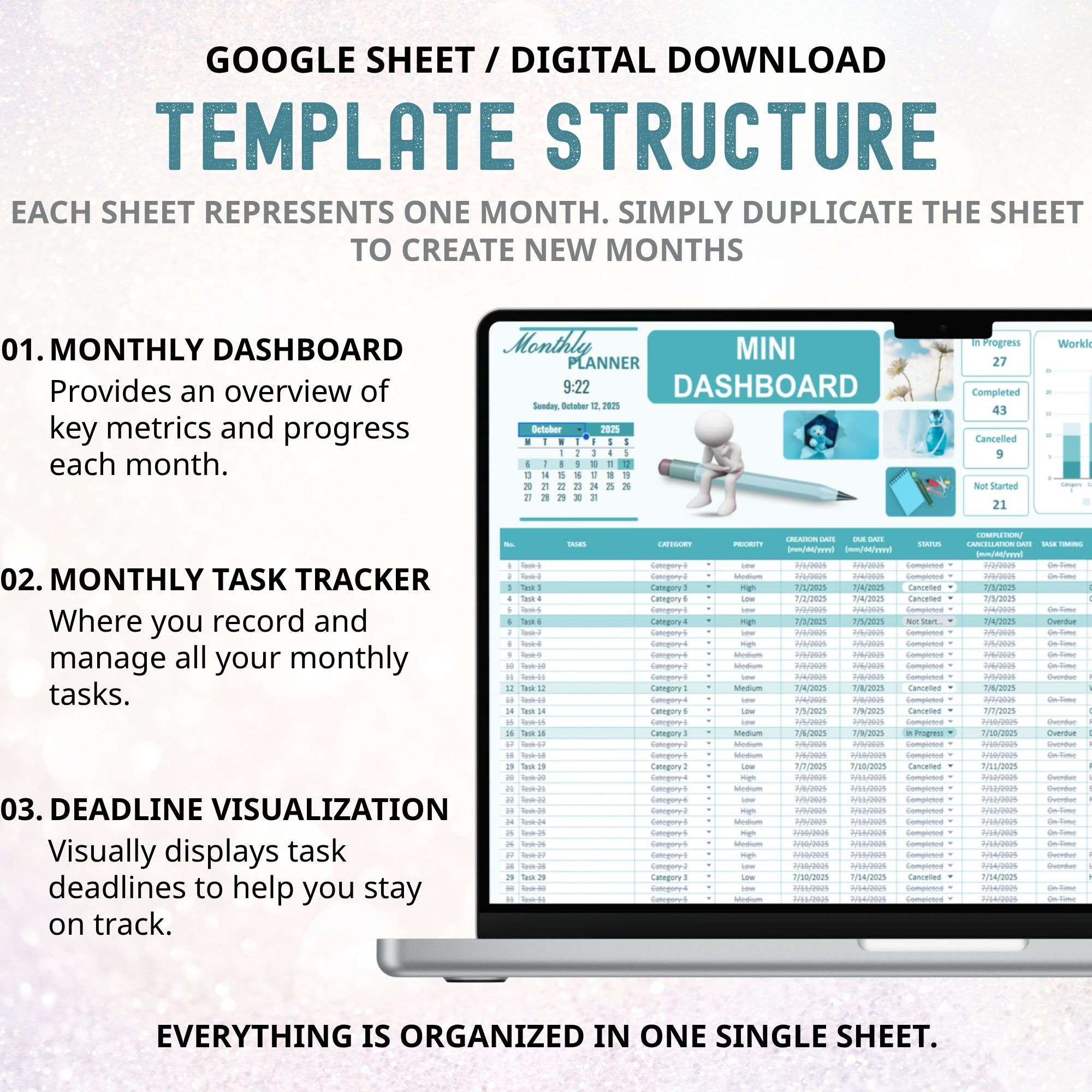
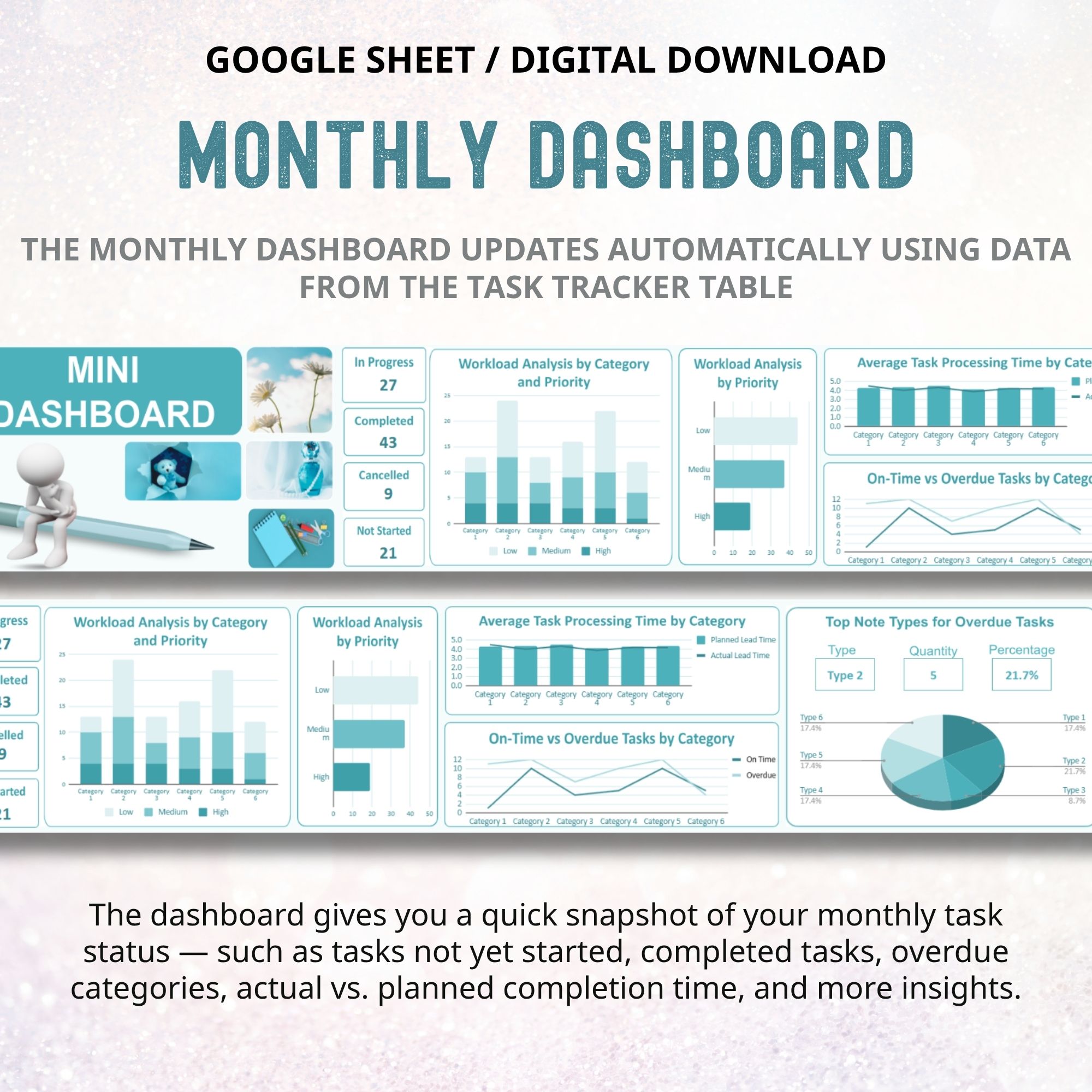
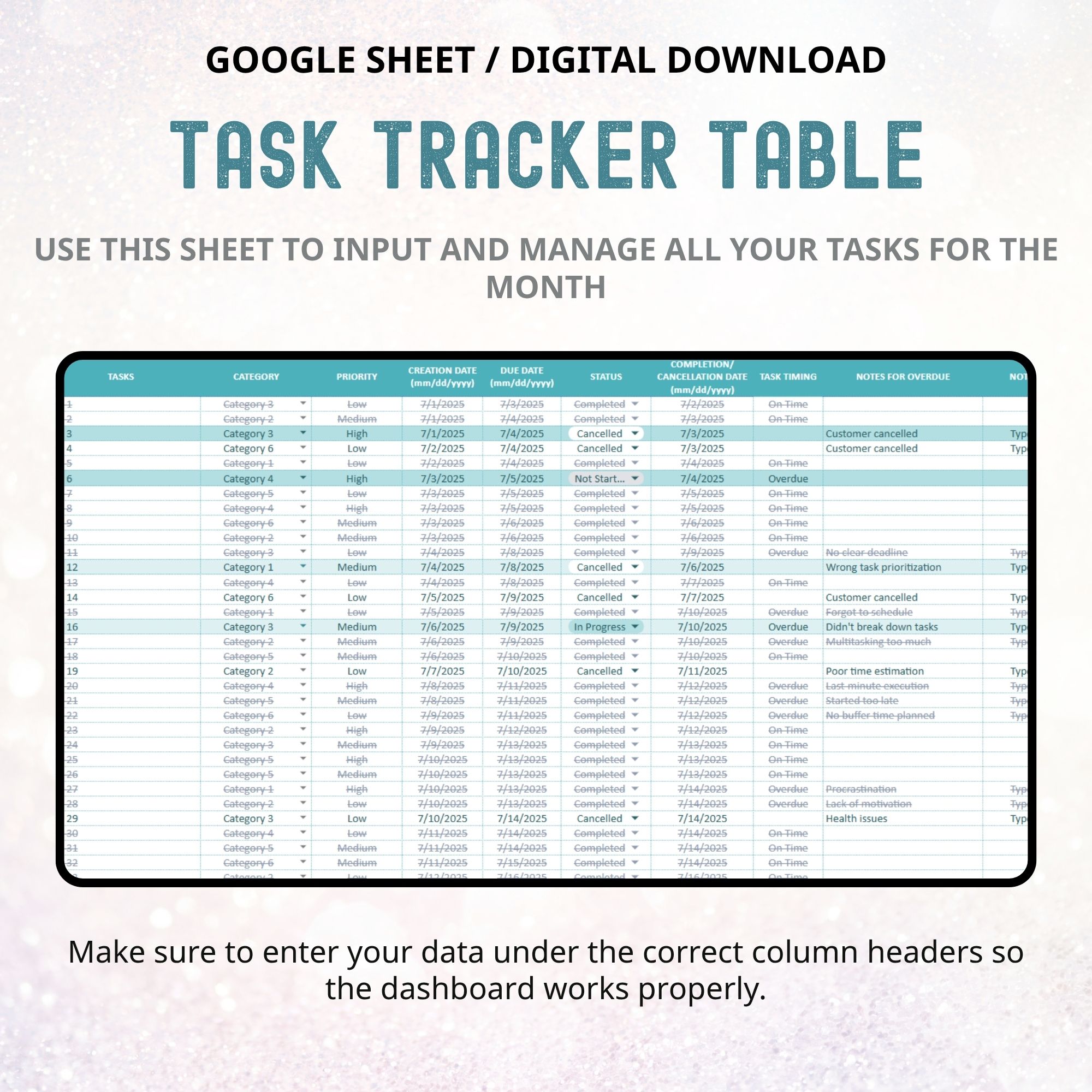
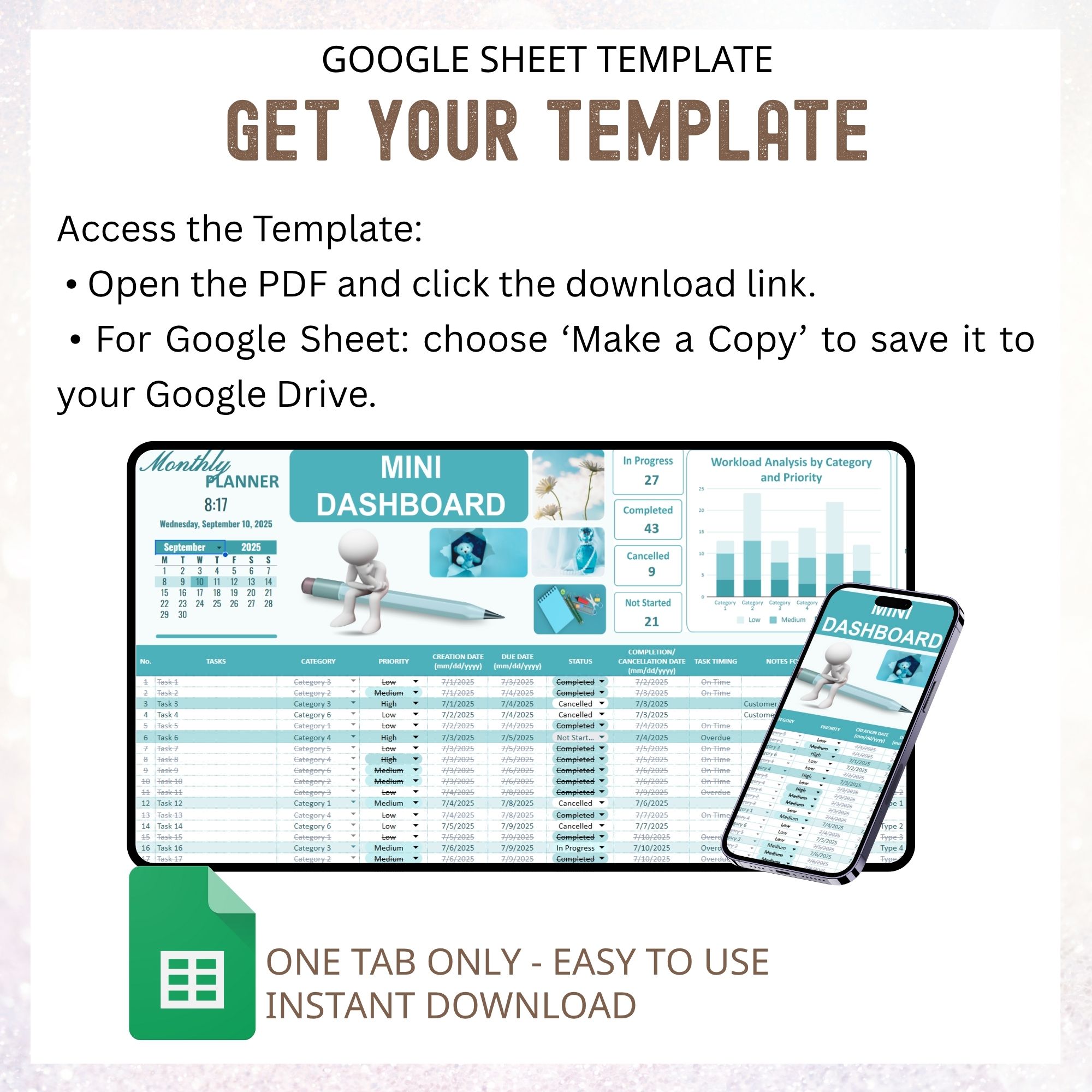
Stay organized and productive with this Monthly Planner and To-Do List Google Sheet, a minimalist Productivity Planner designed to help you manage every task with clarity. This all-in-one To-Do Google Sheet and Task Tracker Google Sheet lets you plan your Monthly Schedule, track progress, and visualize results in a smart Dashboard Template.
Use the built-in Monthly To-Do Google Sheet to create your action plan, organize priorities, and stay on top of deadlines. The To-Do List Planner and To-Do Spreadsheet make it easy to log tasks, set priorities, and monitor completion through an automated To-Do List Dashboard.
With a clear Task Breakdown and auto-updated Monthly Task Tracker, you’ll get a complete picture of your progress — helping you plan smarter, stay consistent, and boost productivity month after month.
Key Features:
- 1 Sheet = 1 Month – Clean monthly layout for easy planning and review
• Customizable Calendar View – Set your own dates for any month or year
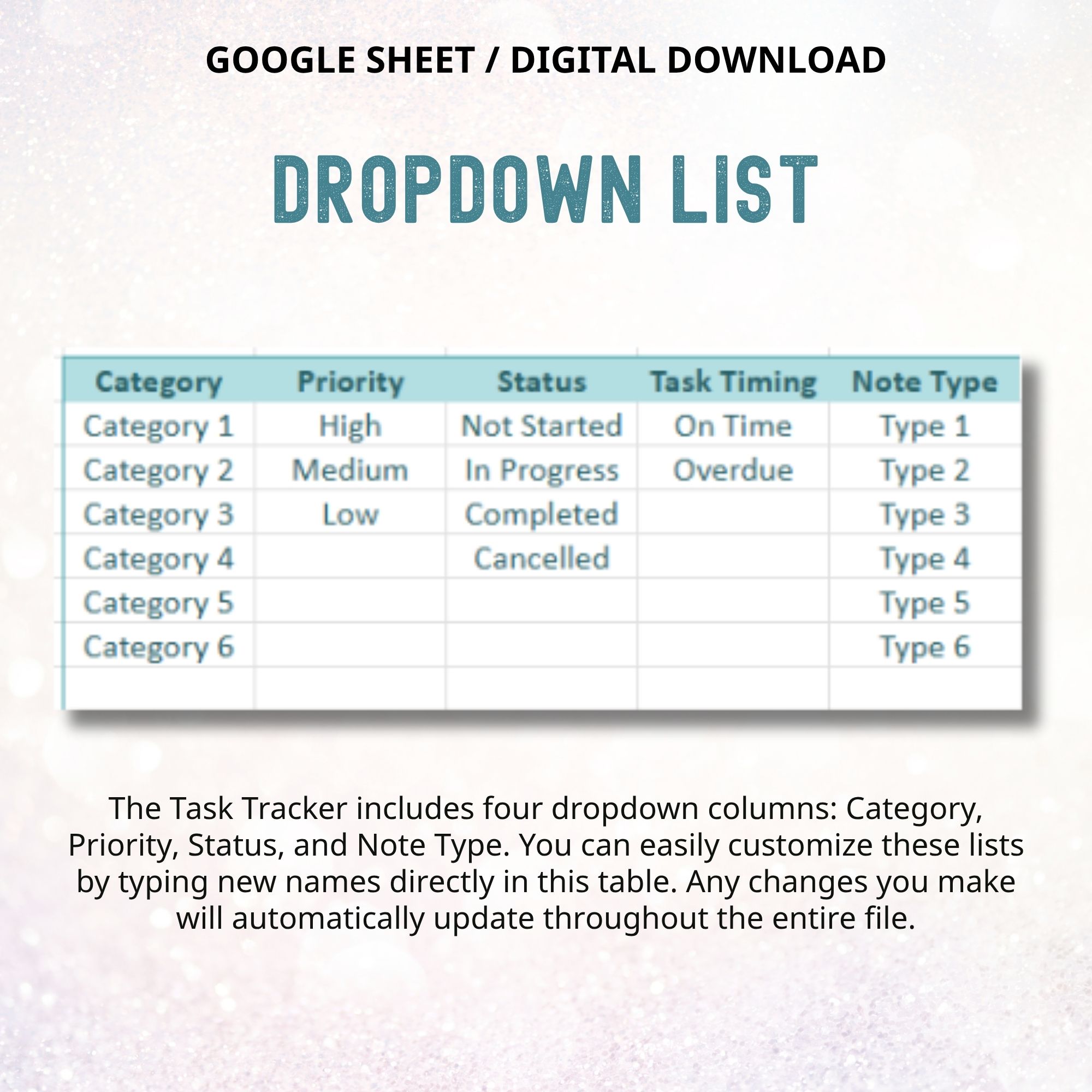
• Category & Priority Tracking – Organize tasks by project, focus area, or importance (High, Medium, Low)
• Status & Progress Tracking – Mark tasks as Not Started, In Progress, or Completed or Cancelled
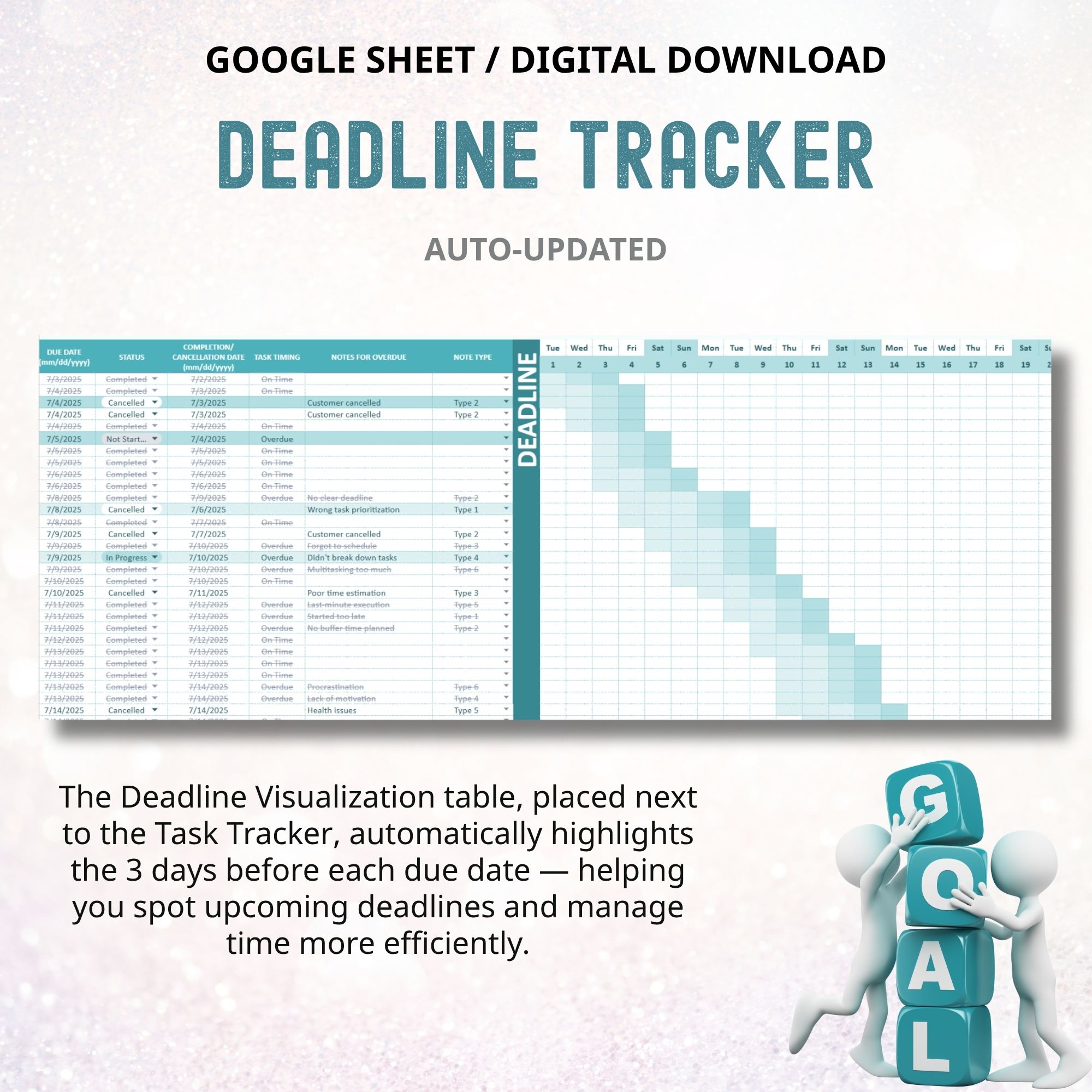
• Overdue Task Detection – Automatically highlights late tasks to help you stay accountable
• Smart Mini Dashboard –
o Visual summary of total tasks by status (Pending, Completed, Overdue)
o Monthly completion percentage
o Overdue reasons & notes section to reflect and improve
Why You’ll Love This Template:
- Fully editable & easy to use (no complicated setup)
- Works on Google Sheets — online, desktop & mobile
- Instantly see workload, priorities, and progress
- Designed for personal goals, client projects, school assignments, or team task planning
- Clean, minimal layout — focus on productivity, not design
Perfect For:
- Monthly task planning & productivity tracking
- Project managers coordinating multiple workstreams
- Freelancers handling client projects
- Students tracking assignments & deadlines
- Anyone who wants an editable digital planner with a built-in dashboard
You will receive a PDF file containing the download link for the template after purchase
How It Works
- Purchase: Add the template to your cart and complete checkout.
- Download: Go to Your Account > Downloads to download the PDF file.
- Access Template:
- Open PDF and click the link to your spreadsheet.
- Google Sheets: Select ‘Make a Copy’ to save to your Google Drive.
Disclaimer / Notes / Important Info
- Mac Users: Google Sheets version is recommended; Excel for Mac may be less stable. This template is also available in a Excel version. You can find it in my store.
- Device Limitations: Template contains 1 tab per month.
- This template is designed for digital use and is not intended for printing.
- Language: English, but you can adjust by your language.
- This template is designed for Google Sheets and has not been tested with Google Calendar. You are welcome to try connecting it, but please note that results may vary.
Please note:
- Digital Download Only: No physical product will be shipped. PDF contains a link to your spreadsheet.
- Copyright & Usage: Copyrighted by LittlePlanner. Purchase is for personal use only. Commercial use, sharing, or resale is prohibited.
- No Advice: Spreadsheet is for planning purposes only. LittlePlanner is not responsible for any loss, damage, or issues from using this template.
- This template cannot be integrated with Google Calendar, Outlook Calendar, Notion, or any other third-party apps. It works only within Google Sheets.