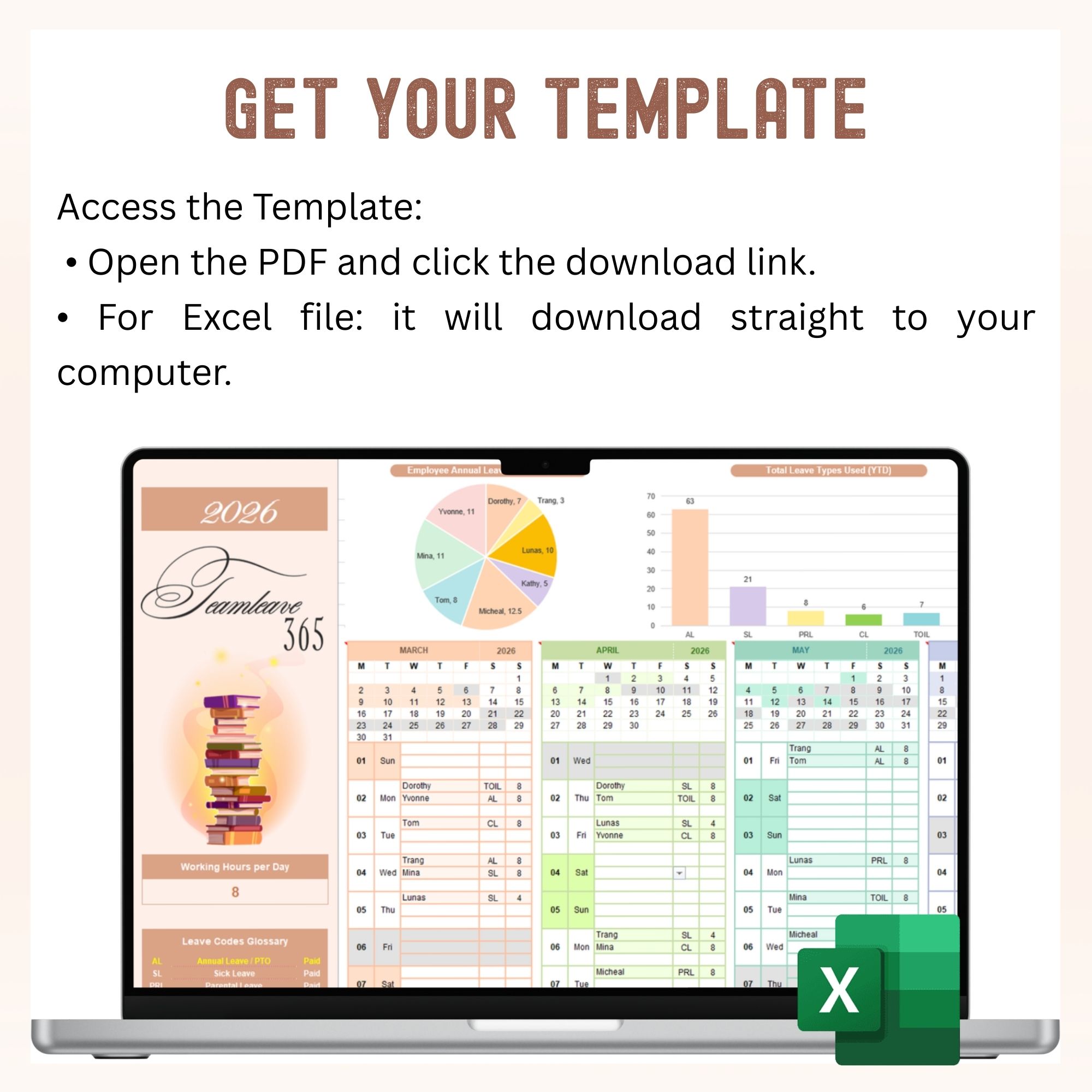
Stay organized and manage your team’s leave schedule with ease using this Simple Employee Leave Tracker Excel Template.
Designed for small teams, managers, and HR admins, this template helps you plan, control, and track employee leave accurately while avoiding overlaps and scheduling conflicts — all in one clean, easy-to-use Excel file.
Key Features
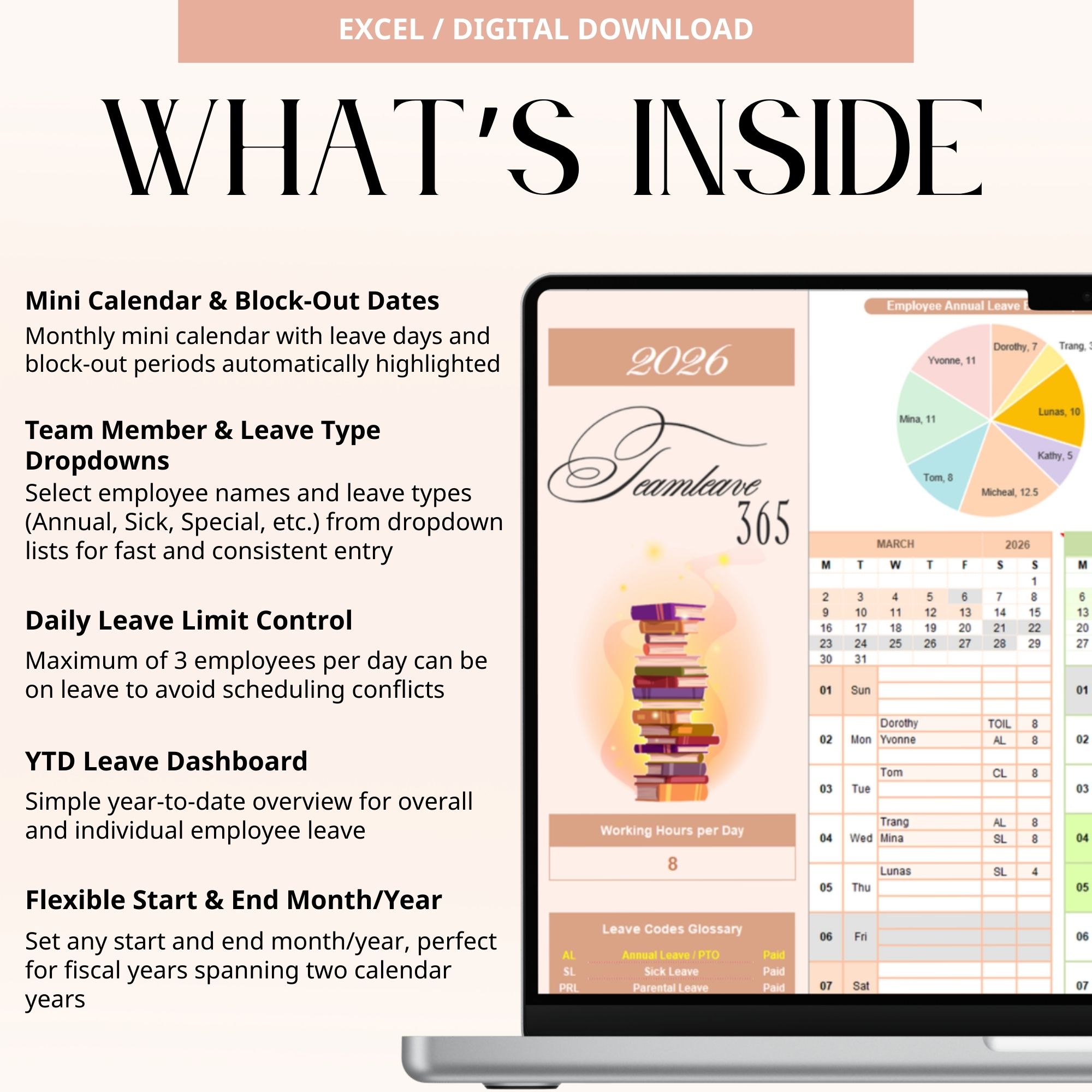
Smart Leave Planning & Control
- Track employee leave across the entire year in one place
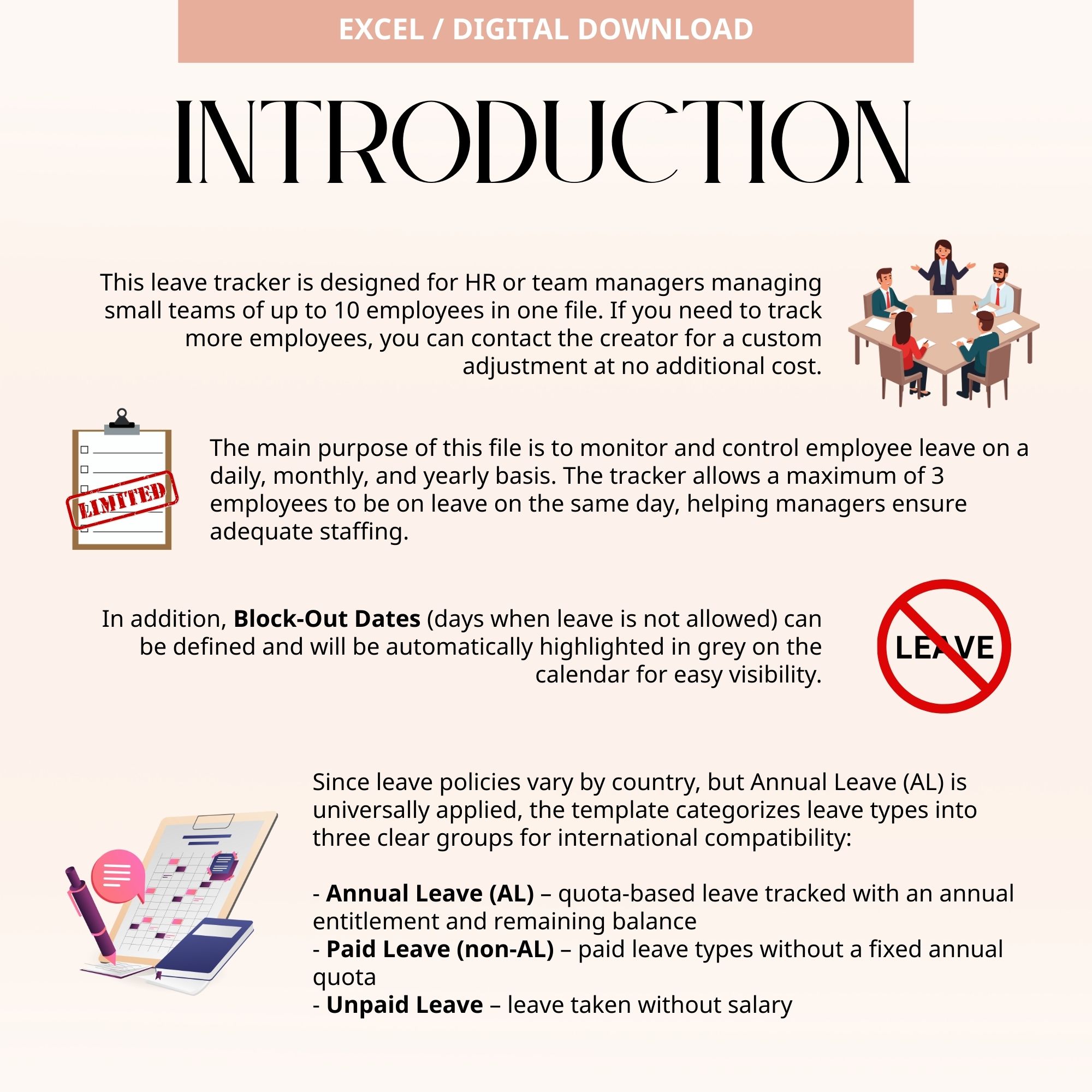
- Limit the number of employees on leave per day to avoid understaffing
- Instantly see who is on leave and when
Clear Dashboards (Team & Individual)
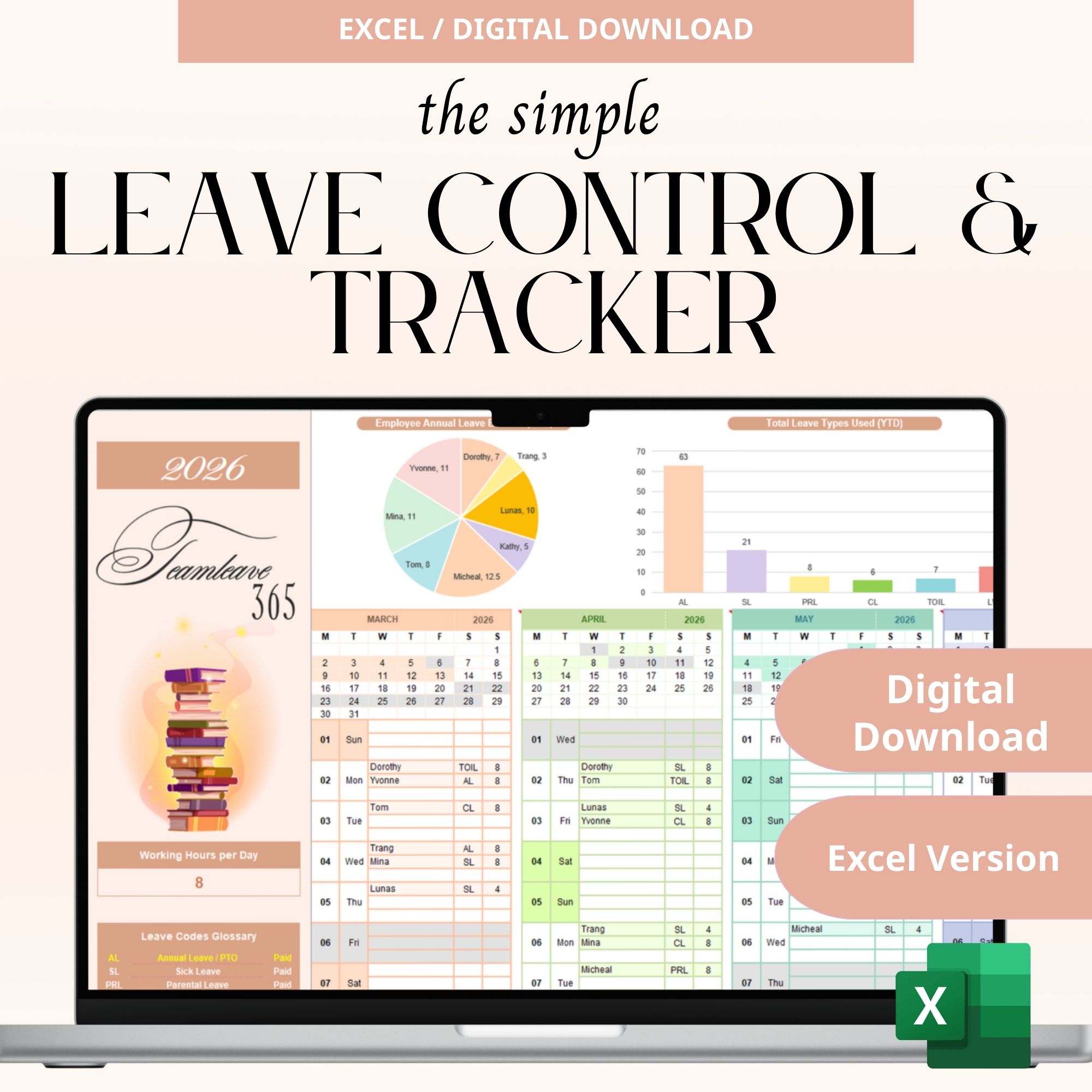
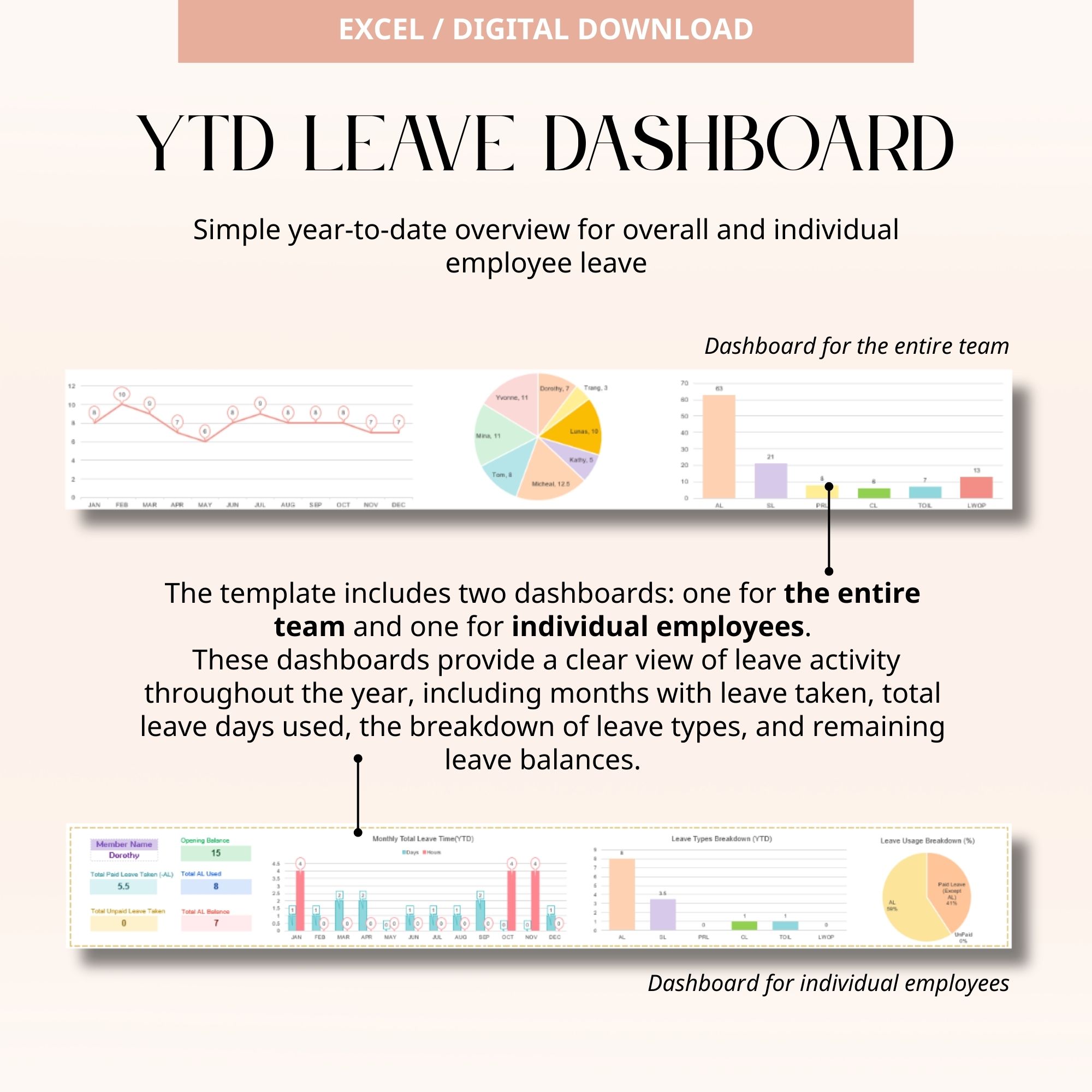
- Team dashboard showing overall leave usage and trends
- Individual employee dashboard for personal leave tracking
- View months with leave taken, total leave days used, leave type distribution, and remaining leave balances
- Simple, year-to-date (YTD) overview for quick insights
What’s Included
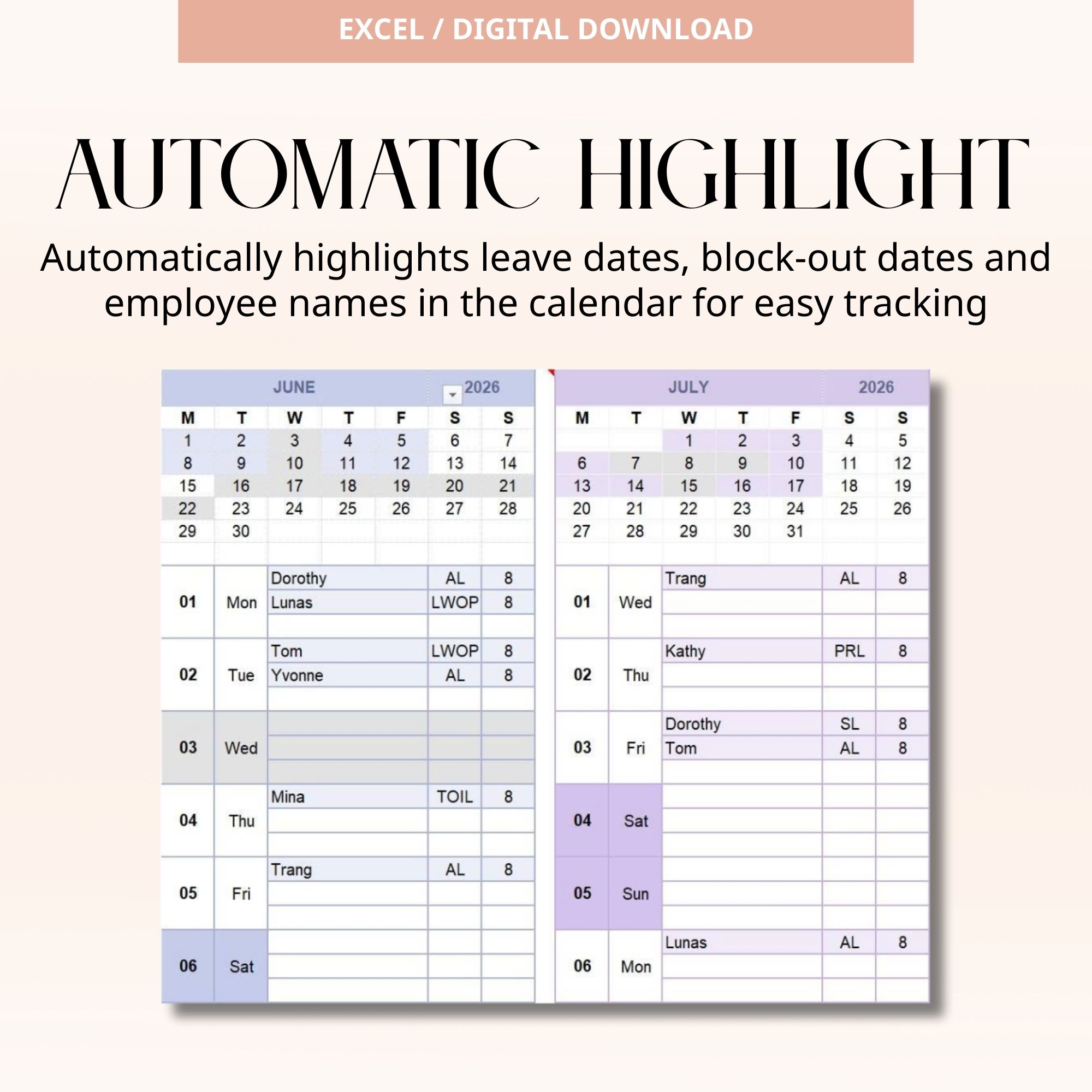
- Mini Calendar View
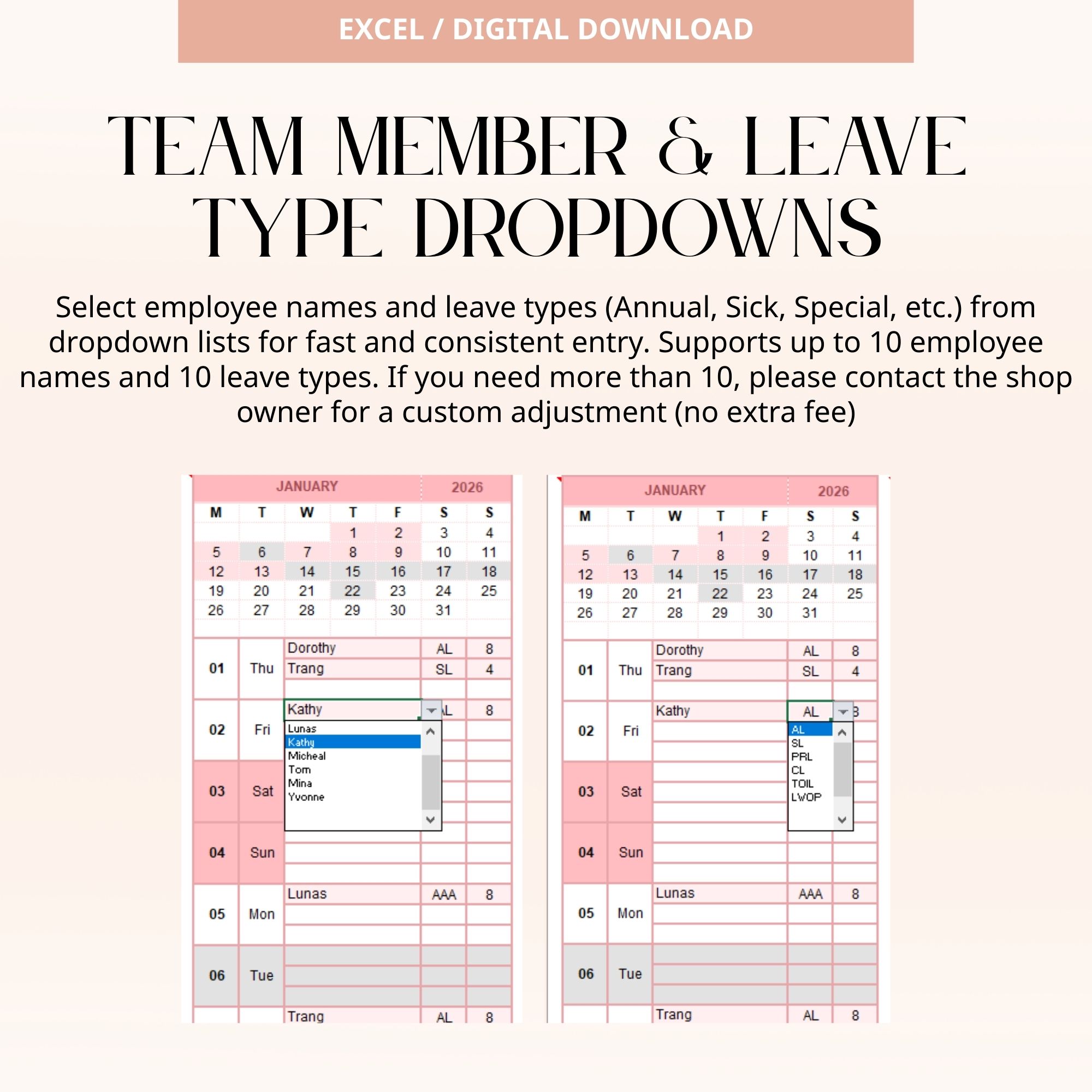
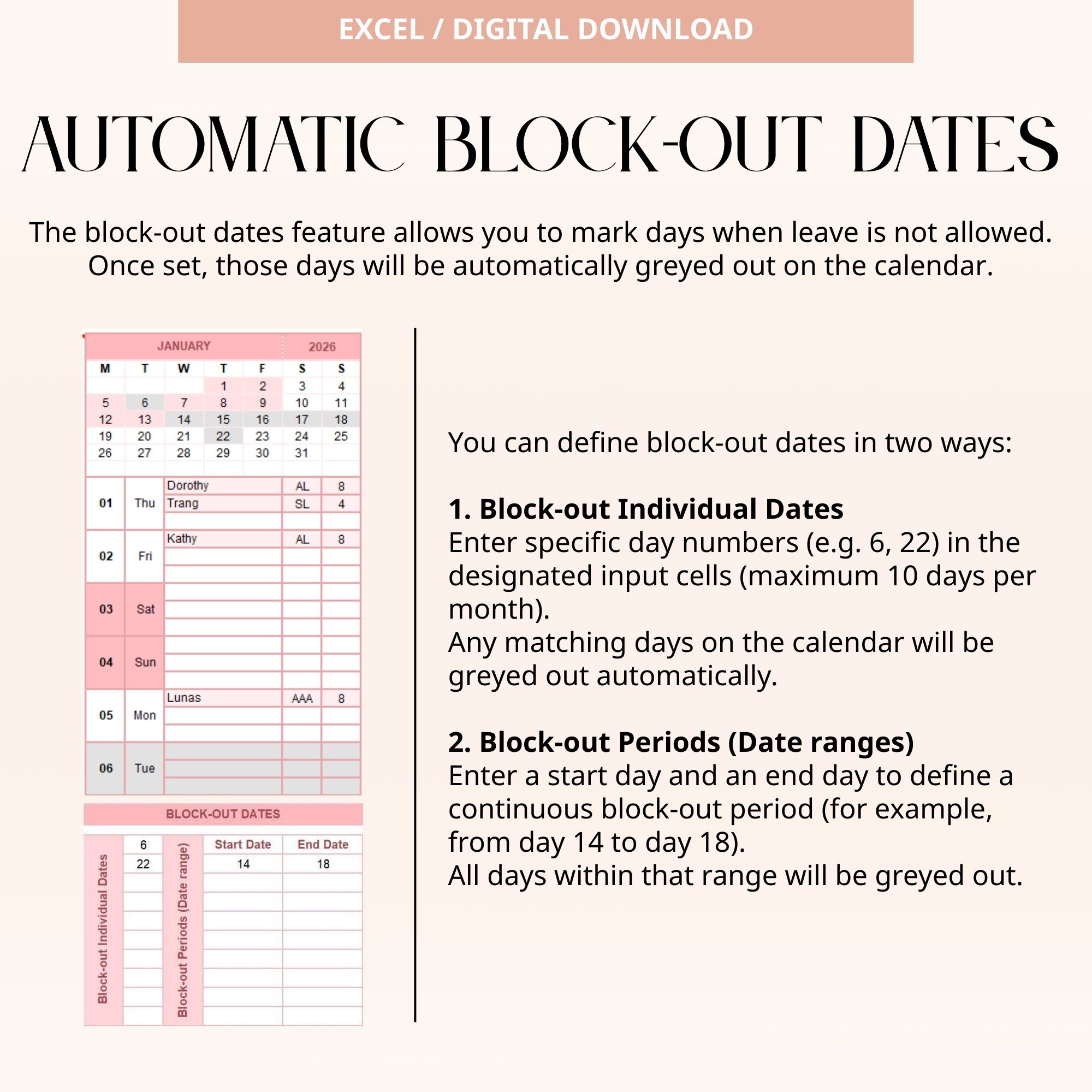
Monthly calendar with leave days and block-out dates automatically highlighted - Team Member Drop-Down List
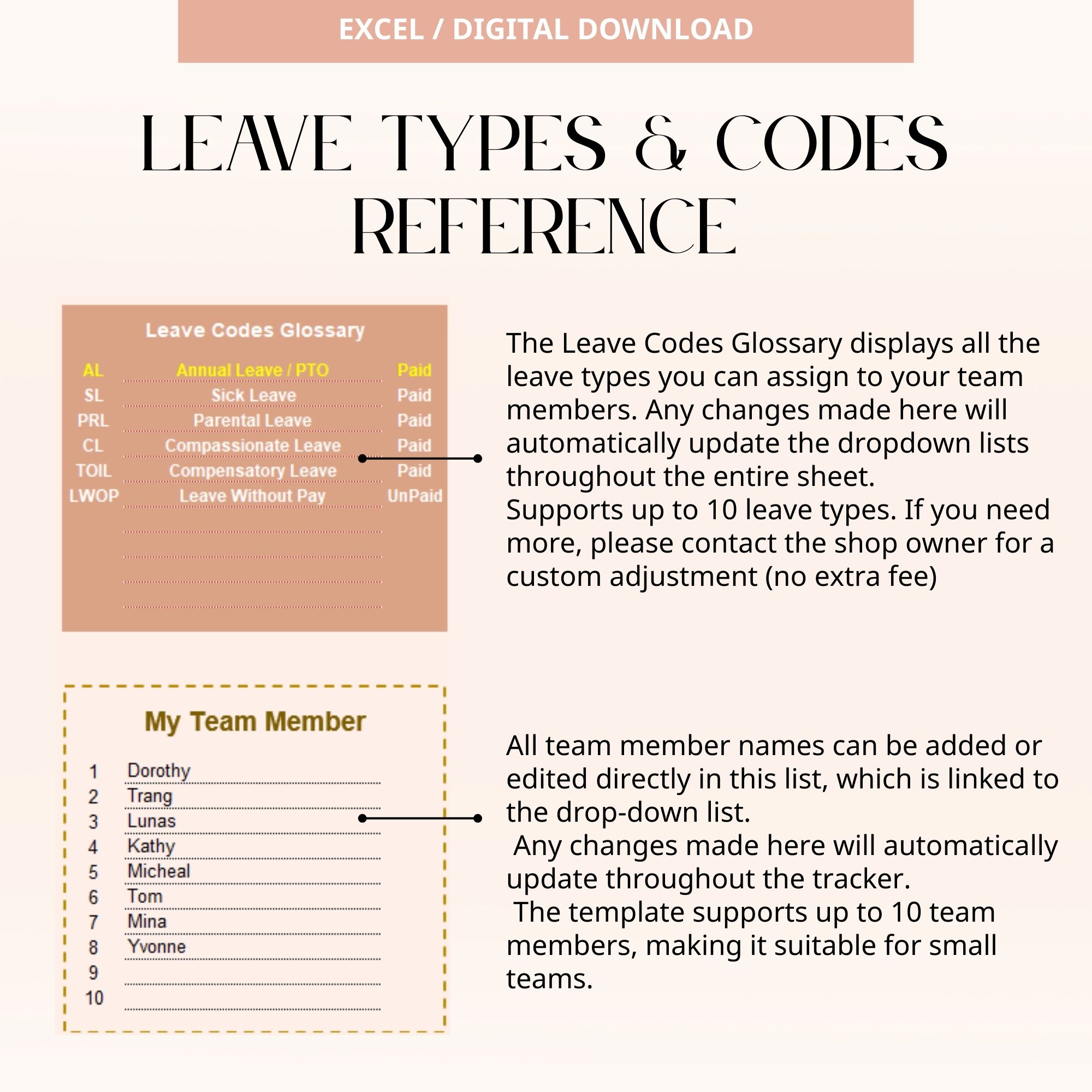
Select employee names easily for fast and consistent data entry - Leave Type Drop-Down List
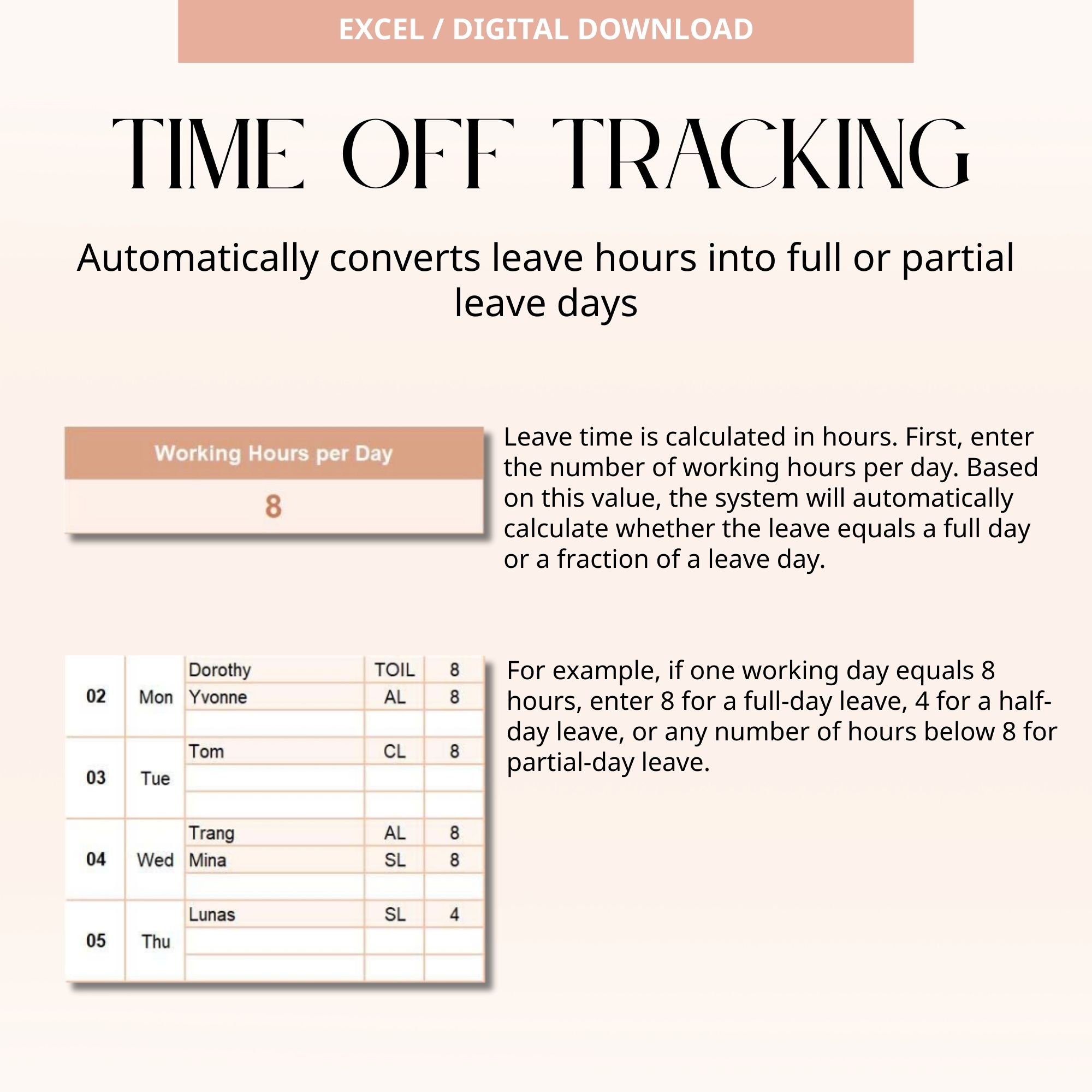
Supports Annual Leave, paid non-AL leave, and unpaid leave types - Daily Leave Limit Control
Set a maximum of 3 employees per day on leave - Automatic Block-Out Dates
Block-out periods and specific blocked dates update automatically across the planner - YTD Leave Dashboards
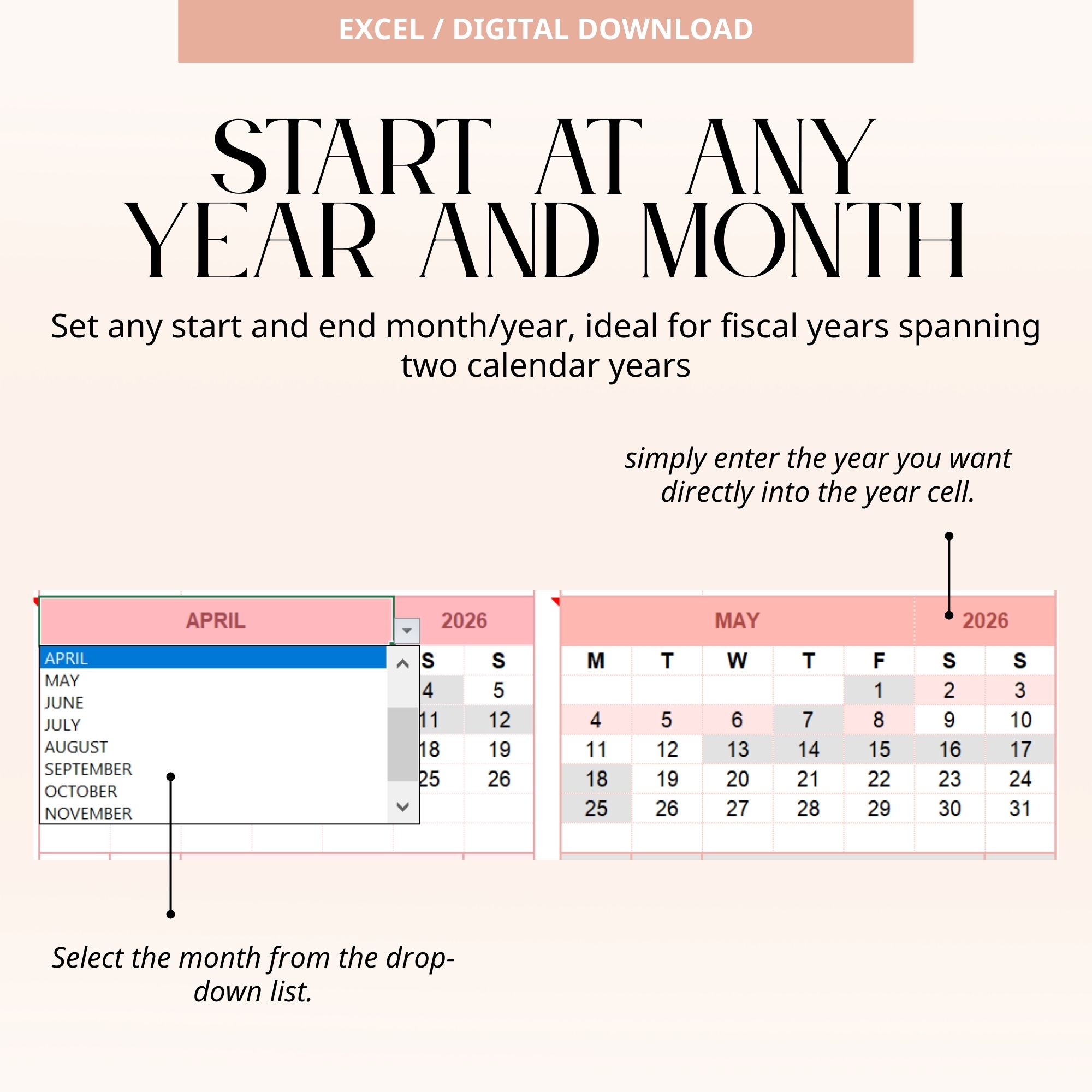
Simple dashboards for both team-level and individual-level leave tracking - Flexible Date Settings
Customize start and end months/years — ideal for fiscal years that span two calendar years
Why You’ll Love This Template
- Fully automated with built-in formulas
- No complex setup or HR software required
- Clean, minimal design that’s easy to understand
- Helps prevent leave conflicts and scheduling issues
- Flexible enough to adapt to different company policies
Perfect For
- Small Teams & Startups – Manage leave without complicated systems
- Managers & Team Leads – Plan resources and avoid leave overlaps
- HR Admins – Track leave usage, balances, and YTD summaries in one file
- Agencies & Service Teams – Ideal for teams with block-out periods
You Will Receive
- 1 PDF file containing the download link to the Excel Leave Tracker template
• Instant digital download after purchase
How It Works
- Purchase this listing
- Go to Your Account > Downloads
- Download the PDF file
- Open the PDF and click the link to access your Excel file
- Start managing your team’s leave right away
Disclaimer / Important Information
- File Type: Excel Workbook (.xlsx)
• Compatibility: Microsoft Excel 2016 or later, Microsoft 365 (Desktop App)
• Mac Users: Compatible with Excel for Mac (2016 or later)
• Device Limitation: Not compatible with Excel Online or mobile apps
• Digital Use Only: Designed for on-screen use, not optimized for printing
• Language: English (fully editable)
Please Note
- Digital Download Only – No physical item will be shipped
• Personal Use Only – Sharing, resale, or commercial use is not allowed
• No Refunds – Due to the digital nature of this product
• Support Included – If you have any issues, feel free to message me — I’ll help until everything works perfectly for you